20 Safest Ways To Make In-Game Purchases Without Getting Scammed
How To Stay Safe When Making In-Game Purchases
Every day, millions of gamers spend money on skins, weapons, battle passes, and virtual currency. But here's something most people don't talk about: every purchase you make online puts your money and personal information at risk. One wrong click could mean stolen credit card details, unauthorized charges, or a hacked gaming account.
I've seen countless stories of gamers losing hundreds even thousands of dollars to fraud. Kids accidentally racking up massive bills. Hackers draining accounts. Third-party sellers vanishing after taking payments. The threats are real, but they're also preventable.
That’s why it’s important to learn thesafest ways to make in-game purchases, smart habits that keep your wallet protected while you enjoy your favorite titles. This guide will show you exactly how to keep your wallet and data safe while gaming online.
1. Always Use Official Game Stores And Platforms
Buying directly from official sources is your first line of defense. Stick to Steam, PlayStation Store, Xbox Marketplace, Epic Games Store, App Store, Google Play, or the game's official website.
These platforms have built-in protections, verified sellers, and customer support when things go wrong. Third-party sites might promise huge discounts, but they're where most scams happen. If the deal looks too good to be true, it probably is.
Buying from official platforms also plays a huge role in reducing fraud in online transactions. Their payment systems are encrypted, regularly monitored for suspicious activity, and backed by strict refund policies, making it much harder for hackers or fake sellers to exploit users.
Official stores also guarantee you're getting legitimate items that won't get your account banned. Developers can detect illegally obtained goods, and using them risks permanent suspension.
2. Choose Credit Cards Over Debit Cards
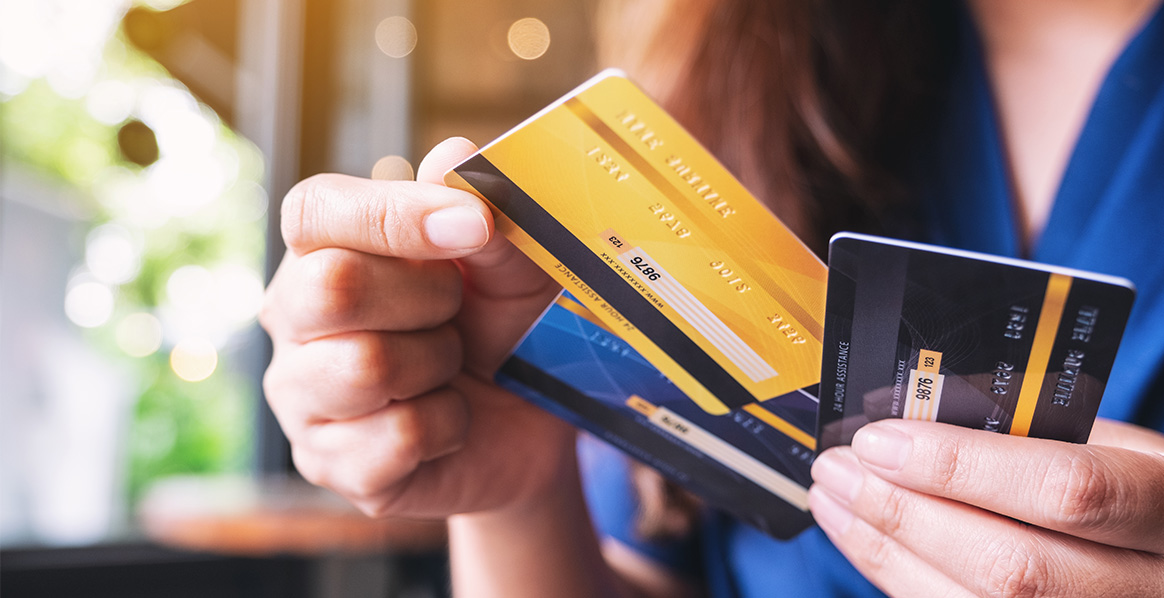
Credit cards offer significantly better fraud protection than debit cards. If someone steals your credit card information and makes unauthorized purchases, you're typically only liable for up to $50 and most card companies waive even that amount.
With debit cards, the money comes straight from your bank account. If fraudsters drain it, you'll be fighting to get your own money back. Credit card companies, on the other hand, fight to recover fraudulent charges for you.
Many credit cards also provide purchase protection, extended warranties, and dispute resolution services specifically designed for online transactions. These features can save you when dealing with gaming purchases gone wrong.
3. Use Digital Wallets For Extra Security
PayPal, Apple Pay, and Google Pay create a protective barrier between your bank account and gaming platforms. These services encrypt your payment information and never share your actual card details with merchants.
Digital wallets use tokenization a process that replaces your real card number with a temporary code. Even if hackers intercept the payment, they can't access your actual banking information.
Plus, digital wallets often include built-in buyer protection. If something goes wrong with a purchase, you can open a dispute and potentially get your money back. They also keep detailed transaction records, making it easy to spot unauthorized charges.
4. Set Up Two-Factor Authentication Everywhere
Two-factor authentication (2FA) is one of the most powerful tools for protecting your gaming accounts. It requires two pieces of information to log in: your password and a code sent to your phone or email.
Even if someone steals or guesses your password, they can't access your account without that second verification step. This simple feature blocks the vast majority of account takeover attempts.
Strong account protection also helps you safeguard personal details like your profile identity, achievements, and even your bgmi name, which can be difficult or impossible to recover if your account is hacked. Enable 2FA on Steam, PlayStation Network, Xbox Live, Epic Games, and any other platform where you store payment information.
Use authenticator apps like Google Authenticator or Authy instead of SMS codes when possible they’re more secure and work without cell service.
5. Never Save Payment Details On Gaming Accounts
Convenience isn't worth the risk. When hackers break into your account, saved payment information gives them instant access to make purchases on your behalf.
After each transaction, go into your account settings and remove your card details. Yes, you'll need to enter them again next time, but this extra step can prevent thousands of dollars in fraudulent charges.
If you must keep a payment method saved for subscriptions or recurring purchases, use a dedicated card with a low limit or a digital wallet that offers additional security layers.
6. Buy Prepaid Gaming Gift Cards
Gift cards eliminate the need to share your banking information entirely. Purchase Xbox, PlayStation, Steam, Google Play, or Nintendo gift cards from verified retailers, then redeem them in the respective stores.
Since these cards have a fixed value, the most you can lose is the card's balance not your entire bank account. There's no card number to steal, no account to hack, and no recurring charges to worry about.
You can find gift cards at major retailers, grocery stores, and official online stores. Just make sure you're buying from legitimate sources, as gift card scams do exist. Never purchase gift cards from suspicious third-party websites or marketplace sellers.
7. Avoid Public Wi-Fi For Any Purchases
Public networks in coffee shops, airports, hotels, and libraries are extremely vulnerable to hacking. When you make purchases on public Wi-Fi, your payment information and login credentials can be intercepted by anyone monitoring the network.
Wait until you're on a secure, private network before making any gaming purchases. If you absolutely must complete a transaction while out, switch to your mobile data instead of public Wi-Fi.
The few seconds it takes to switch networks could save you from identity theft or financial fraud. Public Wi-Fi is fine for browsing, but never for anything involving money or sensitive personal information.
8. Use A VPN When Gaming On Shared Networks
A Virtual Private Network (VPN) encrypts your internet connection, making it nearly impossible for hackers to see what you're doing online. This is especially important when you're forced to use shared or unsecured networks.
Quality VPN services like NordVPN, ExpressVPN, or Kaspersky VPN Secure Connection create a secure tunnel for your data. Even if someone is monitoring the network, all they'll see is encrypted gibberish.
Many modern gaming routers and security suites include built-in VPN features. Enable them before making any purchases or accessing your gaming accounts. The small investment in a VPN subscription pays for itself the first time it prevents fraud.
9. Monitor Your Bank Statements Weekly

Check your bank and credit card statements at least once a week. Look for any unfamiliar charges, no matter how small. Fraudsters often test stolen cards with tiny purchases before making larger ones.
Set up transaction alerts through your bank or credit card provider. These notifications instantly tell you when charges appear on your account, allowing you to catch unauthorized purchases in real time.
The faster you report fraudulent activity, the easier it is to reverse charges and prevent further damage. Most financial institutions have strict timeframes for disputing charges, so regular monitoring is critical.
10. Review Your Gaming Account Activity Regularly
Most gaming platforms let you view recent transactions, login attempts, and active devices connected to your account. Check these logs at least once a week for any suspicious activity.
Look for logins from unfamiliar locations, devices you don't recognize, or purchases you didn't make. Many platforms show login history with timestamps and IP addresses, making it easy to spot unauthorized access.
If you notice anything suspicious, change your password immediately, enable 2FA if you haven't already, and contact the platform's support team. The sooner you act, the more likely you are to prevent significant losses.
11. Create Strong, Unique Passwords For Each Account
Using the same password across multiple gaming accounts is like using the same key for your house, car, and office. If one gets compromised, everything else becomes vulnerable.
Create passwords that are at least 12 characters long and include a mix of uppercase letters, lowercase letters, numbers, and symbols. Avoid obvious choices like "Password123" or your birthday.
Consider using a password managerlike LastPass or Bitwarden. These tools generate and store complex passwords for you, so you only need to remember one master password. They also alert you if any of your passwords appear in data breaches.
12. Verify URLs Before Entering Payment Information
Phishing scamsare everywhere in gaming. Fraudsters create fake websites that look exactly like official stores, tricking you into entering your payment details on their malicious sites.
Always check that the website URL starts with "https://" and shows a padlock icon in the address bar. This means the connection is encrypted and secure. Be especially careful of URLs with slight misspellings or extra characters.
Bookmark official gaming stores and always access them through your saved bookmarks rather than clicking links in emails or messages. This simple habit prevents most phishing attacks.
13. Ignore Third-Party Seller Offers
Those "amazing deals" from unauthorized sellers almost always end badly. Third-party marketplaces might offer cheaper skins or discounted currency, but they come with massive risks.
You could receive nothing at all. The items might be obtained through fraud, leading to your account getting banned. Or the seller could scam you out of your money with no recourse.
Authorized platforms have buyer protection, verified sellers, and customer support. Third-party sellers have none of these safeguards. The money you save isn't worth the potential loss of your entire account.
14. Be Extremely Careful With Account Trading
Buying or selling gaming accounts is risky business. Many games explicitly prohibit account trading in their terms of service, and getting caught can result in permanent bans.
If someone gains access to an account through legitimate means and then sells it, they can often reclaim it later by contacting support. This leaves buyers with nothing after they've paid.
If you must trade accounts, use platforms with buyer protection, escrow services, and verified sellers. Never send money directly to individuals through payment apps or cryptocurrency, you'll have zero protection if things go wrong.
15. Install And Update Security Software
Reliable antivirus and anti-malware protection blocks fraudulent websites, detects keyloggers that steal your passwords, and alerts you to security threats before they cause damage.
Modern security solutions include gaming modes that run silently in the background without affecting performance. They protect your data without spoiling your gameplay experience.
Keep your security software updated. Cyber threats evolve constantly, and updates contain the latest defenses against new malware and hacking techniques. Enable automatic updates so you never miss critical security patches.
16. Update Your Gaming Devices And Apps
Software updates aren't just about new features, they fix security vulnerabilities that hackers exploit. When developers discover security holes, they release patches to close them.
Enable automatic updates on your gaming console, PC, mobile devices, and all your gaming apps. These updates protect against the latest threats and ensure your payment information stays secure.
Outdated software is one of the easiest ways for cybercriminals to break in. Many major data breaches happen because people ignored update notifications. Don't be that person.
17. Set Up Parental Controls And Spending Limits

If kids use your gaming accounts or devices, parental controls are essential. Most platforms let you set spending limits, require password approval for purchases, or block spending entirely.
On child accounts, some platforms default to zero spending limits. You can adjust these to allow specific amounts for birthdays or special occasions while preventing accidental overspending.
If you want even tighter control over how much kids can spend online, using the best virtual card for parental controlscan really help. It lets you set safe limits for gaming purchases and monitor every transaction in real time, giving both you and your child peace of mind.
Talk to kids about in-game purchases. Explain that virtual items cost real money and that they should always ask permission before buying anything. Setting clear rules prevents financial surprises and teaches valuable money management skills.
18. Use Purchase Confirmations And Password Prompts
Configure your devices and gaming accounts to require a password or biometric verification before completing any purchase. This prevents accidental taps from turning into costly charges.
These confirmation steps also stop unauthorized users from making purchases if they get physical access to your device. Even if someone picks up your unlocked phone, they can't buy anything without your password or fingerprint.
The extra second it takes to confirm a purchase is a small price to pay for preventing unauthorized charges and keeping your spending in check.
19. Keep Proof Of All Purchases
Save confirmation emails, receipts, and transaction records for every gaming purchase you make. These documents are crucial if you need to dispute a charge or prove ownership of items.
Screenshot purchase confirmations and store them in a secure location like a password-protected folder or cloud storage. Include dates, amounts, and item descriptions.
If your account gets hacked or items disappear, this documentation helps support teams restore your purchases. Without proof, you might lose access to everything you've bought.
20. Know The Refund Policies Before Buying
Different platforms have different rules about refunds. Steam offers refunds for games played less than two hours within 14 days of purchase. Google Play gives you 48 hours for games. Some platforms don't offer refunds at all for certain items.
Read the terms before making large purchases. Understand what's refundable, what isn't, and how long you have to request a refund. This knowledge protects you from buyer's remorse and helps you make smarter purchasing decisions.
If you're unsure whether a game is worth the price, check if the platform offers a trial period or demo. This lets you test before committing your money.
People Also Ask
What Is An Example Of An In Game Purchase?
These purchases can include anything from power-ups, additional features, character avatars, virtual currency, special abilities, premium content, and other game-enhancing elements.
How To Make An In-app Purchase?
In-app purchases are extra content or subscriptions that you buy inside an app. Not all apps offer in-app purchases. To check if an app offers in-app purchases before you buy or download it, find it in the App Store. Then look for "In-App Purchases" near the app's price or Get button.
Is It Safe To Link My Credit Card To Gaming Platforms?
Linking your credit card to gaming platforms carries some risk, but using credit cards instead of debit cards provides better fraud protection. For maximum safety, avoid saving payment details permanently and enter them fresh for each purchase.
How Can I Tell If A Gaming Website Is Legitimate?
Check that the URL starts with "https://" and displays a padlock icon. Look for spelling errors or unusual domain names that might indicate a fake site. Verify the site matches the official domain listed on the game's verified social media accounts.
Final Thoughts
The gaming world is booming, and so are online scams targeting players. But you don’t have to be a victim. These 20 safest ways to make in-game purchases add layers of protection that keep your money and data secure.
Use official stores, enable 2FA, choose trusted payment methods, and stay alert for anything suspicious. Spending a few extra minutes on security can save you hours of stress and a lot of money. Stay safe, game smart, and enjoy every purchase with confidence.